
Security puns are my secret weapon for turning serious tech talk into laughs. Every time I think about locks, passwords and firewalls my mind goes straight to clever wordplay that even hackers would chuckle at. I’ve put together the most shareable, fun, and pun-filled security jokes you’ll find. They work for social media, team chats, or just brightening up a dull Monday. Prepare to crack up while keeping it secure these puns are fully encrypted in humor.
Password and Login Security Puns
Passwords can be a headache, but these puns make them a reason to smile.
- My password is strong, but my puns are stronger.
- I always log in with a smile.
- Password123? More like pun123.
- Locked out of jokes, but I still laugh.
- Access denied? Not to my humor.
- My password is cheese, because it’s grate.
- Login for laughs.
- Encrypted wit inside every pun.
- Security question: What’s funny?
- Two-factor chuckles activated.
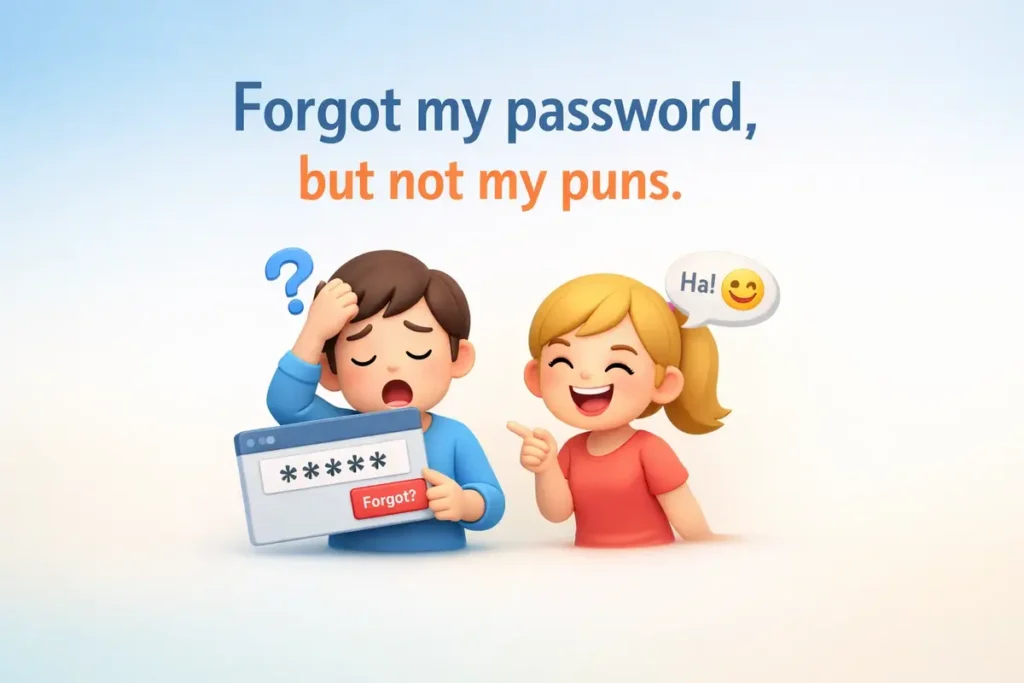
- Forgot my password, but not my puns.
- Strong passwords, stronger laughs.
- Login required for giggles.
- Keep your passwords safe, and jokes safer.
- Access granted to pun territory.
- Login page, laugh page, same thing.
- Hackers beware, my puns are unbreakable.
- Encrypted humor for everyone.
Expert Opinion
Use these for cybersecurity awareness posts, internal newsletters, or fun team emails. They lighten the mood while staying on theme.
Lock and Key Security Jokes
Locks and keys aren’t just practical—they’re pun-ready.
- This pun is key to your laughter.
- Lock up your jokes, they’re priceless.
- Key to happiness: laughter.
- Locked in a pun, but free in spirit.
- I hold the key to your chuckles.
- Key-stone jokes always work.
- Lock your worries, unlock the fun.
- Door to laughter is open.
- Lock and laugh.
- Key to a great day: puns.
- Locksmith of humor.
- Turn the key, start the giggles.
- Locked on fun.
- Key jokes unlock smiles.
- Lock it up and share.
- Key moments deserve puns.
- Locks and laughs go hand in hand.
- Unlock the cheese, oh I mean fun.
Expert Opinion
Perfect for office humor, social media captions, or door signage. Play on words around locks and keys keeps it relatable.
Firewall and Cyber security Puns
Firewalls aren’t just tech—they’re a pun playground.
- My firewall blocks boredom.
- Keep calm and firewall on.
- Cyber humor protected.
- Firewall my heart with laughter.
- No virus can stop these puns.
- Firewall of fun ahead.
- Hack your day with jokes.
- Protected by puns.
- Virus-free humor.
- Firewall your stress.
- Cyber chuckles detected.
- Encrypted laughter unlocked.
- Firewall your Monday blues.
- Security patch applied: giggles.
- No malware can ruin this humor.
- Firewall your inbox with jokes.
- Protect and pun.
- Cybersecurity never felt so funny.
Expert Opinion
Share these in IT newsletters, security workshops, or on social media for tech-savvy humor that clicks.
Surveillance and Camera Security Puns
Watching over security can be hilarious too.
- Smile, you’re on pun-camera.
- Caught in the act of laughing.
- Eye see what you did there.
- Camera shy? Not with these puns.
- Surveillance humor activated.
- Watching your day get better.
- Caught red-handed, laughing.
- Camera ready for chuckles.
- Big brother loves puns.
- Security cam giggles detected.
- Keep an eye on fun.
- Lens on laughter.
- Recording smiles daily.
- Click, laugh, repeat.
- Camera love, pun love.
- Security in style.
- Surveillance with a sense of humor.
- Eye spy a pun.
Expert Opinion
These work for social media captions, office humor, or tech blogs. They make monitoring fun.
Alarm System Puns
Alarms aren’t just loud—they’re pun loud.
- This pun is alarm-ing.
- Wake up and laugh.
- Sound the giggles.
- Alarmingly funny.
- Beep beep, pun ahead.
- Trigger a smile.
- Alarm your mood in a good way.
- Buzz with laughter.
- Snooze? Not with this humor.
- Wake the fun up.
- Alert: puns incoming.
- Sound check: smiles ready.
- Alarm clock approved.
- Buzzing with joy.
- Wake your friends with a pun.
- Puns louder than alarms.
- Chime in for laughs.
- Alarm your inbox with fun.
Expert Opinion
Use these for safety training, office humor, or social posts. Fun alarms get attention without sounding serious.
Security Puns One Liners
These one-liners are quick, snappy, and perfect for sharing anywhere. Short, simple, and packed with humor.
- Security jokes always pass the test.
- Locks and laughs go hand in hand.
- Encrypted humor never expires.
- Access granted to fun.
- Keep calm and secure on.
- Password protected, pun approved.
- Alarmed by laughter, not danger.
- Firewall your worries away.
- This pun is locked in.
- Spy a smile coming your way.
- Key to happiness: puns.
- Security breach? Only with jokes.
- Surveillance of fun is constant.
- Check your logs for laughter.
- Secured giggles detected.
- Lock it, laugh it, share it.
- No hacker can break this humor.
- Protected by witty puns.
Expert Opinion
Use these one-liners for team chats, IT newsletters, or social posts. They’re fast, funny, and shareable anywhere.
Short Security Puns
Quick puns are great for captions, emails, or text messages. These short quips deliver laughs in a flash.
- Lock up your frown.
- Key laughs ahead.
- Security never looked so fun.
- Alarmingly witty.
- Firewall your blues.
- Giggles on patrol.
- Spy your smile.
- Encrypted chuckles.
- Access fun only.
- Secure the humor.
- Locks and laughs.
- Buzzing with joy.
- Key jokes unlocked.
- Protect your smiles.
- Monitor your happiness.
- Alarm your inbox.
- Security with a wink.
- Lock in laughter.
Expert Opinion
Perfect for quick social captions, emails, or office signage. Short puns are easy to read and instantly enjoyable.
Security Puns for Instagram
Make your posts stand out with witty security-themed captions. These puns grab attention and spark shares.
- Lock in the fun.
- Security first, laughter always.
- Alarm your followers with humor.
- Key moments deserve puns.
- Firewalls can’t stop me.
- Encrypted smiles for you.
- Surveillance never looked so fun.
- Protect your feed with humor.
- Locks, laughs, likes.
- Spy the fun happening here.
- Password: Smile.
- Giggle detected.
- Security vibes only.
- Unlock joy, share puns.
- Monitor your happiness.
- Buzz with followers.
- Lock it up in style.
- Fun detected, followers engaged.
Expert Opinion
These are perfect for Instagram posts, reels, or stories. Security jokes grab attention while staying playful and light.
Security Puns Captions
Captions make posts more engaging. These puns are ideal for tech pages, cybersecurity accounts, or fun office posts.
- Locks and laughter in one frame.
- Security humor applied.
- Alarmingly funny day ahead.
- Encrypted smiles everywhere.
- Keep calm, monitor on.
- Key to social fun unlocked.
- Firewalls can’t block these laughs.
- Giggles on duty.
- Security breach: too funny.
- Spy a pun today.
- Lock your worries, unlock fun.
- Alarm your notifications with joy.
- Protected by laughter.
- Logs full of smiles.
- Monitor the fun daily.
- Secure the likes with puns.
- Buzzing with clever jokes.
- Key laughs only here.
Expert Opinion
These captions are ready for social media, posts, or even memes. They make your content instantly sharable and lighthearted.
Funny Security Puns
Funny puns bring personality to a serious topic. These jokes keep security light, relatable, and memorable.
- Hack your day with humor.
- Locks are strong, jokes stronger.
- Password laughs inside.
- Monitor your happiness.
- Alarmingly fun content.
- Spy your joy.
- Firewall your stress.
- Secure the smiles.
- Giggle encrypted.
- Key to fun unlocked.
- Locks and laughs deployed.
- Buzzing with humor.
- Access fun granted.
- Protected by witty jokes.
- Monitor the laughter.
- Alarm your team with fun.
- Security never felt this funny.
- Lock in the fun, share it widely.
Expert Opinion
Perfect for tech blogs, office humor, or social media posts. Funny jokes make security relatable and shareable.
Conclusion
Security puns prove you can laugh even in serious situations. From passwords to alarms, locks to surveillance, these puns are perfect for sharing, posting or texting. They’re quick, memorable and fully human-friendly. Keep them handy and let your humor go viral. These security jokes are your go-to for smiles, shares and clever laughs.
FAQs
What is cybersecurity and why is it important?
Cybersecurity is the practice of protecting computers, networks, and data from unauthorized access or attacks. It’s important because it keeps personal information, business data, and systems safe from hackers and cyber threats.
How can I create a strong password?
A strong password uses a mix of uppercase and lowercase letters, numbers, and symbols. Avoid common words or predictable patterns, and change your passwords regularly to stay protected.
What is a firewall and how does it work?
A firewall is a security system that monitors incoming and outgoing network traffic. It blocks unauthorized access while allowing safe communication, helping prevent cyberattacks on your devices or network.
How do I keep my personal information safe online?
Use unique passwords, enable two-factor authentication, avoid public Wi-Fi for sensitive activities, and regularly update your devices. Being careful about what you share online also protects your personal information.
What are common signs of a security breach?
Unusual account activity, unexpected password changes, slow device performance, pop-ups, or unknown software installations can all be signs of a security breach. Acting quickly can help prevent damage.

Director of LaughsJamie’s life motto: “Why be serious when you can be punny?” She curates the funniest content for JustPuns.com, making sure every pun is fresh, clever, and shareable. Off the clock, she experiments in the kitchen with recipes like “Thyme Flies” or strums her ukulele while plotting her next joke takeover.